


PictureThis - Plant Identifier
4.636.48K Reviews
App Specs
- Version
- 5.29.0
- Updated On
- License
- Free
- Downloads
- 50,000,000+
- Developer
- Glority Global Group Ltd.
- Categories
- Education
- Platform
- Android, iOS
Screenshots
 Analysis by AppCompare
If you’re anything like me, you’ve probably wandered through a park or your own backyard and wondered, “What is that plant?” Enter the PictureThis - Plant Identifier app, your new best friend for all things botanical.
Getting a useful first result
What makes a plant identifier valuable is not just the speed of its answer but whether it helps you make a sensible next move. I find this app most useful when I treat a suggested identity as a starting point: photograph the plant clearly, read the result, then compare its visible features with what I can actually see. A name can point me toward better questions about leaves, flowers, or growing conditions, rather than ending the investigation.
For a stronger identification, I try to frame one plant at a time and include a distinctive feature instead of a whole crowded flower bed. A close, steady image of a leaf or bloom is often more informative than a distant shot with several species competing for attention. If the plant has no flowers, a clear view of its leaves and overall shape can still give the app useful visual material, though I would be more cautious about treating any single suggestion as certain.
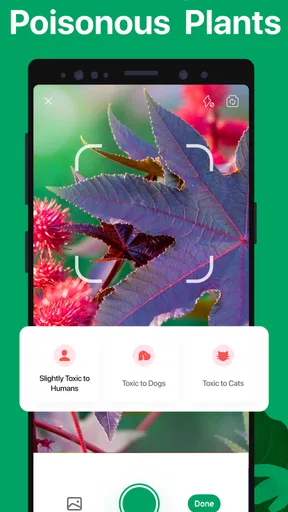
That small habit matters for safety as well as curiosity. I would not use a camera-based identification as the sole basis for eating a wild plant, handling an unfamiliar species, or deciding whether a plant is safe around a pet. A useful result can guide further research, but a mistaken identification has real consequences. For those decisions, I would seek a knowledgeable local source rather than relying on a quick scan.
Readable guidance, with room to check the details
The app is aimed at people who want plant information without first learning botanical terminology. Its appeal is that a photo can get a beginner from “I have no idea what this is” to a plausible name and a set of care suggestions. I like that as a low-pressure way to learn: when I see an unfamiliar plant, I can use the identification as a prompt to notice its features and then explore the guidance at my own pace.
Care advice is most helpful when I treat it as a reference, not a command. A plant’s needs can shift with the season, the container, the light in a particular room, and the local climate. If a recommendation seems at odds with what I observe, I would check the plant’s condition and surroundings before changing its routine. The practical value is in helping me think through care, not in replacing judgment about the actual plant in front of me.
People who prefer concise answers may appreciate getting an identification workflow in one place, while readers who want to study botany in depth may find themselves wanting more than an app’s summary. I would use it to orient myself, then consult a field guide or specialist material when I need careful distinctions between lookalike species. That is a sensible division of labor: the phone helps narrow the search; more detailed sources help settle questions that matter.
Worth Reading Before You Choose

Flipboard Shows What News Apps Must Do Beyond the Feed

Switching to Android Auto Means Rethinking Your Driving Routine

Google Calendar Makes a Crowded Week Easier to Manage

Ludo King Makes the Most of the Minutes Between Plans

Baby Panda World Brings Quick Play to Modern Phones, but Its Game Library Feels Busy

ESPN’s Live Game View Makes Following Close Games Easier
Discovering the Magic of PictureThis
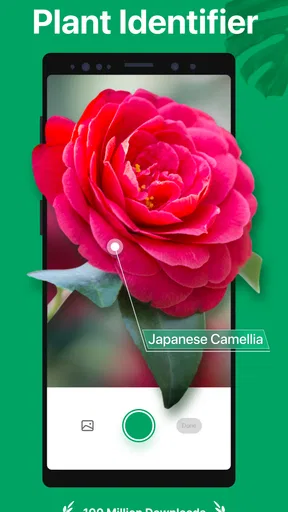
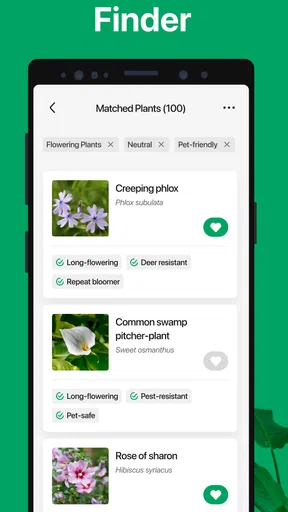
The PictureThis - Plant Identifier app is a remarkable tool that identifies plants with just a snap of your camera. This app is a lifesaver for anyone with a budding curiosity about nature or even seasoned gardeners looking to expand their plant knowledge. You simply take a picture of the plant in question, and voilà! The app identifies it in seconds, providing you with a treasure trove of information.
Features that Stand Out
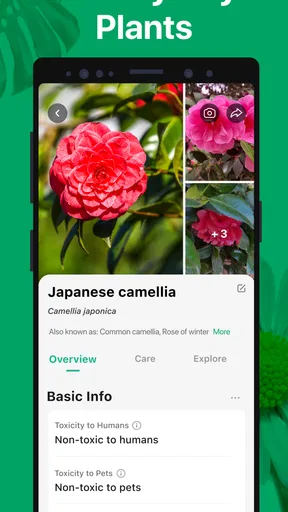
One of the first things I noticed about PictureThis is its easy-to-use interface. It’s clean and intuitive, so even if you’re not tech-savvy, you’ll find navigating the app a breeze. The app offers detailed plant descriptions, care tips, and even pest management advice. It’s like having a green-thumbed friend in your pocket, ready to lend advice whenever you need it.
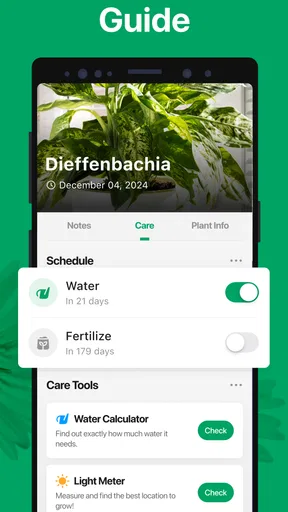
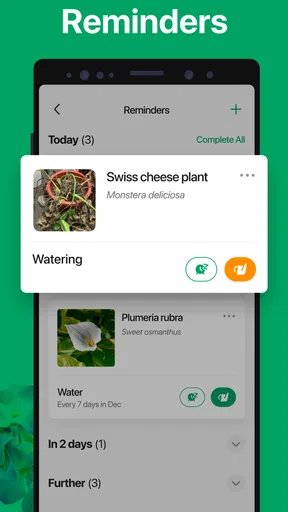
In addition to plant identification, PictureThis also provides an extensive plant care guide. Imagine having a personalized gardening assistant that helps you keep your plants healthy and thriving. From watering schedules to sunlight needs, this app covers it all.
How I’d use it in an ordinary week
Picture a plant on the balcony that has started to look different, or a volunteer seedling appearing beside a path. I would take a focused photo, use the suggested identity to look up its needs, and then compare the care guidance with the conditions around it. Is the pot in direct sun? Has the soil stayed wet? Is the leaf damage limited to one area? Thinking through those details helps turn an app result into a practical observation instead of an automatic change to watering or placement.
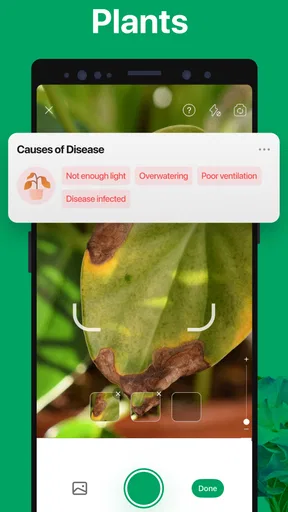
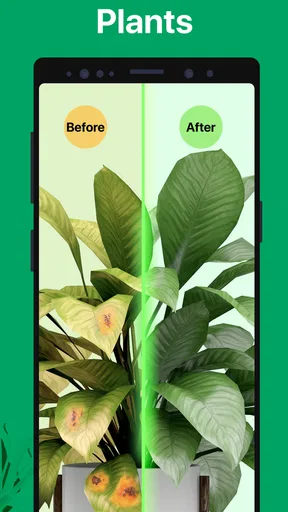
The disease-diagnosis angle can be useful when a leaf develops spots or begins to wilt, because it gives a gardener somewhere to start investigating. I would still inspect the whole plant and consider recent changes in light, watering, or temperature before acting. Symptoms can overlap, and a photo cannot capture every factor affecting a plant. In my view, the best workflow is to use a diagnosis as a shortlist of possibilities, then make one careful adjustment at a time and watch how the plant responds.
For a walk, the same tool serves a different purpose. I can photograph a flower I keep seeing along a route, check the result when I have a moment, and use the name to remember what caught my attention. It is a pleasant way to turn routine walks into small learning opportunities without carrying a guidebook. If I am in a hurry, though, I would take the photo and investigate later rather than stopping to manage the phone in an awkward or unsafe spot.
Who benefits most, and who may prefer another tool
I think this is a particularly good fit for new plant owners, curious walkers, and gardeners who want a quick way to organize their questions. Someone caring for a few houseplants can use it to learn the names of unfamiliar gifts and get a first sense of their needs. A person who enjoys noticing trees and flowers on local walks can use it as a pocket reference. The app can also help a more experienced gardener look up an unfamiliar plant, although I would expect specialists to verify fine-grained identification elsewhere.
It is less suited to anyone who needs a guaranteed scientific identification or a definitive diagnosis before taking an important action. In those cases, a regional field guide, a local botanical group, or advice from a qualified plant professional may be a better choice. Those alternatives can offer context about local species and lookalikes that a quick image result may not resolve. I also would not choose a phone app as my main reference if I wanted a structured course in plant biology; its strength is practical discovery and care support, not a full curriculum.
Compared with searching the web manually, a photo-first tool can save the effort of guessing the right search terms. A conventional field guide, on the other hand, encourages slower comparison and may be easier to trust when I need to distinguish similar plants carefully. I see PictureThis between those approaches: faster and more convenient than browsing image results from scratch, but not a substitute for expert confirmation where accuracy has safety or ecological consequences.
Comfort across different settings and abilities
Because the central task begins with a photograph, it can be approachable for someone who finds plant names difficult to spell or unfamiliar terminology intimidating. It also gives visual learners a direct route into the subject. The simple idea of pointing a camera at a plant and then reading about it is easy to explain to a child or an older relative, though anyone who relies on a particular text size, screen reader, or other access setting should check how the app works on their own device before depending on it.
There are practical motor and sensory considerations too. Holding a phone steady, focusing on a small leaf, and tapping through results may be difficult for someone with limited hand control, tremors, or fatigue. A close-up photo in bright sunlight can also be hard to compose, while a screen may be uncomfortable for someone sensitive to glare. I would take several shots when needed, use the device’s own camera and display settings where helpful, and do the identification in a comfortable place rather than feeling pressed to get a perfect image outdoors.
For someone with low vision, the photo may still be a useful way to capture a plant, but the written result and navigation need to be comfortable to read. I would not assume that every description or control will work equally well for every access need. A companion can help capture the image or read information aloud, and phone-level magnification or spoken-content settings may help depending on the device. The important point is to test the actual workflow before making it part of a regular care routine.
Costs, expectations, and everyday friction
The app is free to install, and it is rated for Everyone, so trying its basic plant-identification approach is accessible to a broad audience. Its average rating is 4.5 from around 724,000 ratings, and it has been installed over 50 million times. Those figures suggest that many people have found a reason to keep it around, but popularity does not guarantee that every result will suit a particular plant or user.
There are in-app purchases, with items priced from $1.99 to $49.99. I would check what is included in the version I am using before committing to a purchase, especially if I only need occasional identifications. For someone who expects to scan plants every week or wants to rely on care guidance regularly, paid options may be worth evaluating against actual use; for a casual walk or a one-off mystery plant, I would first see how far the free experience goes.
Glority Global Group Ltd. develops the app, which was released on July 21, 2017. Version 5.17.0 requires Android 9 or later. Those details are useful when checking whether an older phone can run it, but the bigger day-to-day consideration is whether the device can take a clear enough picture in the conditions where you want to identify plants. A camera image that is blurred, poorly lit, or crowded with other leaves gives any visual tool less to work with.
Why You’ll Love It
What really captivated me was the app’s accuracy. With a database boasting thousands of plants, PictureThis rarely misses the mark. It’s great for both casual plant lovers and hardcore horticulturists. Whether you're identifying native species on a hike or just trying to figure out what’s sprouting in your garden, this app is a game-changer.
The community aspect is another highlight. Users can share photos and experiences, making it a social platform for plant enthusiasts. It's fascinating to connect with others who share your botanical interests.
Keeping the experience useful and realistic
I would make the app more useful by keeping a simple note of what I observed alongside an identification: where the plant was growing, whether it was in sun or shade, and what its leaves looked like. That context helps me distinguish a helpful suggestion from a confident-sounding guess, and it is handy if I later ask someone local for a second opinion. For a houseplant, noting the room and recent care changes can also make the guidance easier to apply.
One trade-off with any camera-based identifier is that the quality of the input shapes the usefulness of the result. A single damaged leaf or a plant photographed from too far away may leave important clues out of frame. I try to capture more than one view when the first image is ambiguous, but I do not confuse multiple similar-looking suggestions with proof. When the distinction matters, comparing a field guide’s diagnostic details or asking an experienced gardener is the more responsible next step.
Another friction point is that identification and ongoing care are different tasks. Knowing a likely plant name does not automatically tell me whether my particular specimen needs water today, because pot size, drainage, light, and recent weather all matter. I use general care recommendations as a check against my assumptions, then let the plant and its environment guide the final decision. That approach avoids overwatering a plant just because a reminder or broad recommendation makes a routine feel overdue.
Final Thoughts
In a world where technology often disconnects us from nature, PictureThis bridges the gap beautifully. It encourages exploration and learning, turning every walk into a potential discovery. If you’re eager to dive into the world of plants or simply want to up your gardening game, this app is worth every pixel. I’d say give it a whirl and see how it enriches your relationship with nature.
In conclusion, the PictureThis - Plant Identifier app is more than just a plant ID tool; it’s a doorway into the fascinating world of botany. So next time you’re out and about, don’t just walk by that mystery plant—snap a pic and let PictureThis tell you its story.
My inclusive verdict
For me, this is an inviting way to make plants less anonymous: a quick photo can open up a useful line of inquiry, and the care material can help a beginner become more observant. Its visual starting point may suit people who learn by looking, while the need to take and review photos can create extra effort for people with motor, vision, or sensory needs. Trying it on your own device is the best way to judge that balance.
I would recommend it to curious plant owners and casual nature-watchers who understand that an app’s answer is a helpful lead, not an authority. I would skip it as a sole source for safety-sensitive identification, detailed botanical study, or decisions that call for local expertise. Used with that distinction in mind, PictureThis can make ordinary gardens and walks more interesting without asking the reader to mistake convenience for certainty.
Pros
- Identifies plants quickly and accurately.
- Includes detailed care guides for plants.
- User-friendly interface with easy navigation.
- Offline mode available for plant identification.
- Regular updates with new plant species.
Cons
- Requires premium subscription for full features.
- Occasional misidentification in low light.
- Limited functionality without internet access.
- Ads can be intrusive in the free version.
- Some features locked behind paywall.
FAQs for PictureThis - Plant Identifier
How accurate is PictureThis in identifying plants?
PictureThis boasts a high accuracy rate, claiming over 98% precision in identifying plants. It utilizes advanced AI technology and a vast database of plant species to enhance its accuracy. However, results can vary depending on the quality of the photo and lighting conditions. Users are encouraged to take clear, well-lit photos for the best results.
Is PictureThis free to use, or does it require a subscription?
PictureThis offers a basic version for free, which includes plant identification and some general information. However, for more detailed insights, care tips, and an ad-free experience, users may need to subscribe to the premium version. The subscription offers additional features like unlimited identifications and personalized plant care plans.
Can PictureThis identify all types of plants, including rare species?
While PictureThis covers a wide range of common and many rare plant species, it may not identify every single plant, particularly very rare or newly discovered species. Its database is extensive and continuously updated, but there may be occasional limitations. Users can help improve the database by submitting unidentified plants.
Does PictureThis provide plant care tips and advice?
Yes, PictureThis offers a comprehensive set of plant care tips and advice. After identifying a plant, the app provides specific care instructions, covering aspects such as watering, sunlight exposure, and soil preferences. Premium users receive more detailed guidance, including personalized care reminders and troubleshooting advice for plant health issues.
What platforms is PictureThis available on, and is it user-friendly?
PictureThis is available on both Android and iOS platforms, ensuring a wide reach for users. The app is designed to be user-friendly, with an intuitive interface that simplifies navigation. Users can easily take photos, receive identifications, and access care tips with just a few taps, making it suitable for all age groups.


